A virtual bedroom makeover lets you redesign your bedroom online from one photo, so you can compare styles, colors, layouts, and decor ideas before moving furniture or buying anything. Instead of guessing whether a darker wall color, new bedding, or a warmer wood tone will work, you upload a bedroom photo and generate realistic design directions in minutes.
For homeowners, renters, and anyone planning a refresh without hiring a designer, this is a practical way to narrow your taste, avoid expensive mismatches, and walk into shopping decisions with a clearer visual plan.
Key takeaways
- A virtual bedroom makeover is best for exploring design direction, color palettes, furniture mood, and decor combinations before you commit.
- You only need one clear photo of your current bedroom to start testing styles online.
- AI-generated previews are not construction drawings, but they are useful for making faster, more confident design decisions.
- The best results come from a clean, well-lit photo taken from a corner or doorway, with as much of the room visible as possible.
- Use the makeover as a planning tool: save your favorite versions, compare what repeats across them, then turn those patterns into a shopping and setup list.
What is a virtual bedroom makeover?
A virtual bedroom makeover is an online redesign process where you upload a photo of your bedroom and preview new looks digitally. The goal is not just to make a pretty image. The real value is seeing how different interior design choices might work inside your actual room.
That matters because bedrooms are personal spaces with many constraints: bed placement, natural light, closet doors, nightstands, ceiling height, flooring, trim, and storage. A generic inspiration photo can be beautiful and still fail in your room. A photo-based redesign starts from the room you actually have.
With RoomRenovation.ai, the workflow is intentionally simple: upload one image, pick a design direction, and explore visual options. You can try the AI studio when you want to see how your own bedroom could look in different styles.
Why redesign your bedroom online before buying anything?
Bedroom updates often look easy until the first purchase arrives. A paint color feels colder than expected. A rug is too busy. A bed frame makes the room feel cramped. The curtains clash with the floor. These are normal design problems, but they are also avoidable.
A virtual bedroom makeover gives you a low-pressure preview before you spend money. You can test several directions quickly, including calm minimal, warm modern, Japandi, hotel-inspired, cozy traditional, moody contemporary, Scandinavian, or a cleaner version of the room you already have.
This is especially useful when you know the room needs improvement but cannot describe the exact style you want. Seeing options side by side makes preferences clearer.
Before and after: what one bedroom photo can become
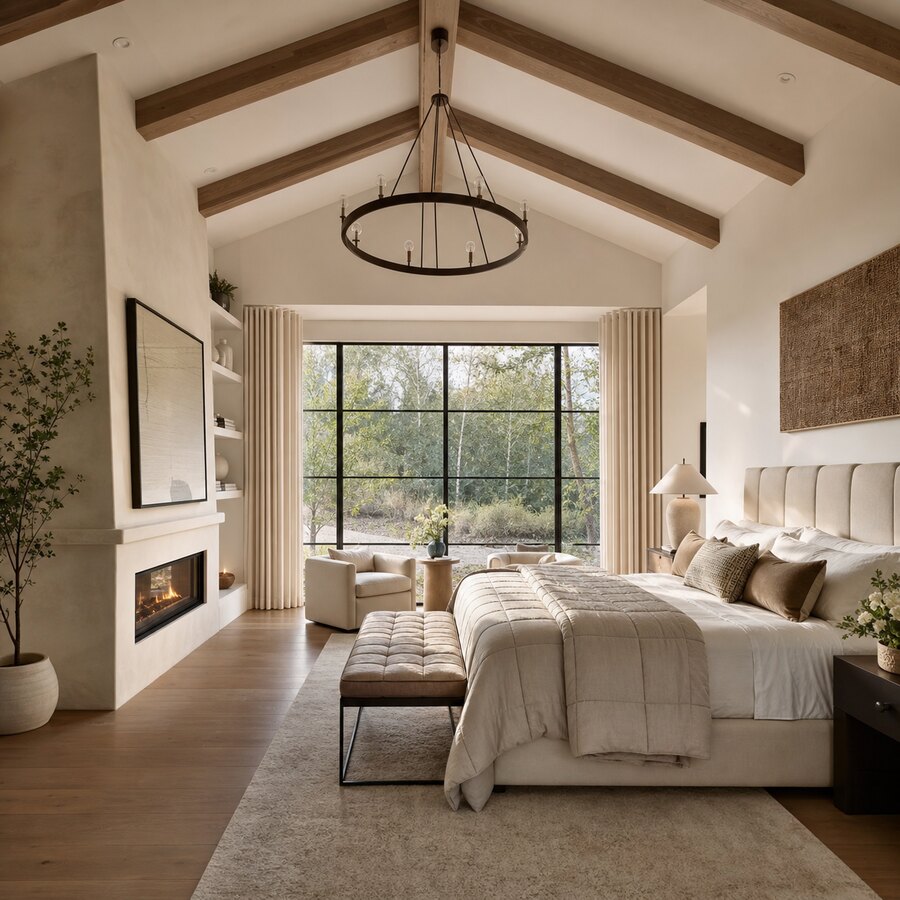
The example below shows the kind of visual comparison that makes online bedroom redesign useful. One photo gives the AI enough room context to suggest a new atmosphere, while still keeping the makeover grounded in a recognizable space.

How a virtual bedroom makeover works from one photo
1. Take a clear photo of your current bedroom
Stand in a corner, doorway, or the widest point of the room. Try to include the bed, floor, walls, windows, and as much furniture as possible. Natural daylight usually works better than a dim evening photo because the AI can read room boundaries and existing surfaces more clearly.
You do not need to clean the room perfectly, but remove visual clutter that might distract from the makeover. The cleaner the input photo, the easier it is to interpret the result.
2. Choose the kind of bedroom you want to explore
Most people start with a broad style rather than a finished specification. That is fine. Try a few different directions first. You might compare a calm neutral bedroom with a darker boutique-hotel look, then test a warmer natural style after seeing the difference.
If you need ideas, the article on bedroom color ideas can help you think through calm, moody, and modern palettes before you generate your own room previews.
3. Generate several versions, not just one
One AI image is a suggestion. Several images become a decision-making tool. Generate multiple makeovers and look for patterns: repeated furniture shapes, wall colors you keep liking, rug sizes that make the room feel balanced, or lighting choices that improve the mood.
Do not treat every detail as a literal instruction. Instead, separate the big ideas from the decoration. A preview might show a lamp you would never buy, but the warmer lighting and lower contrast could still be the right direction.
4. Turn the best preview into a practical plan
After you choose a favorite direction, list the visible changes in plain language. For example: off-white walls, textured beige rug, wood nightstands, linen bedding, two black reading lights, one large framed print, and fewer small accessories. That list becomes a realistic shopping and setup guide.
If the room needs deeper renovation decisions, such as flooring, built-ins, or structural changes, use the preview to communicate taste and mood. For measurements, electrical work, custom cabinetry, and contractor decisions, you still need real-world confirmation.
Who should use an online bedroom redesign tool?
A virtual makeover is a strong fit if you want design clarity without the cost or commitment of hiring a full-service interior designer. It helps people who are refreshing a primary bedroom, improving a guest room, staging a rental, upgrading a small apartment bedroom, or preparing a room before listing a property.
It is also useful for couples or families who disagree on style. Instead of debating abstract words like “cozy,” “modern,” or “clean,” you can compare visual options. That makes the conversation less emotional and more specific: this headboard, that palette, less furniture, warmer lighting, lighter curtains.
If you are deciding whether AI is enough for your project, read AI interior designer vs human designer. AI is excellent for fast visual exploration, while human designers remain valuable for complex layouts, sourcing, installation, and custom work.
What makes a bedroom makeover preview genuinely useful?
It respects the room you already have
The best preview should feel connected to your original photo. If the room suddenly gains impossible windows, a different ceiling height, or a completely changed footprint, treat the result as inspiration rather than a plan. Useful AI design keeps enough of the room’s structure intact that you can imagine the changes happening in real life.
It gives you a clear mood
A bedroom should support rest. Even a dramatic bedroom makeover needs a coherent mood: calm, warm, crisp, romantic, minimal, earthy, or polished. If a preview mixes too many ideas, save it only for individual details and keep generating.
It suggests repeatable design choices
Look for choices you can repeat in the real room: two matching lamps, a larger rug under the bed, one dominant wood tone, a consistent metal finish, layered bedding, closed storage, and fewer accent colors.
Best bedroom styles to test virtually
If you are not sure where to start, test styles that change the room in meaningfully different ways. A warm minimalist bedroom may use pale walls, soft bedding, and natural wood. A hotel-inspired bedroom might add symmetry, darker accents, upholstered textures, and statement lighting.
You can also use AI previews to understand broader trends without copying them blindly. The guide to 2026 interior design trends explains which ideas are easier to preview before buying furniture, paint, or decor.
Common mistakes to avoid
The first mistake is using a poor input photo. If the room is dark, blurry, or cropped too tightly, your makeover will be less reliable. Retake the photo before judging the tool.
The second mistake is chasing a perfect fantasy image. A virtual bedroom makeover should help you make better decisions, not pressure you into recreating every object in the preview. Focus on the design logic: palette, scale, layout, lighting, and texture.
The third mistake is ignoring measurements. AI can show that a bench at the foot of the bed looks good, but only a tape measure can confirm clearance.
The fourth mistake is changing too much at once. If you are on a budget, start with the highest-impact changes: wall color, bedding, rug size, lighting, curtains, and decluttering. A bedroom can feel dramatically different without replacing every piece of furniture.
A simple workflow for your own virtual bedroom makeover
- Take one wide, well-lit bedroom photo.
- Upload it to the AI studio.
- Generate three to five different design directions.
- Save the versions that feel realistic and appealing.
- Write down the repeated elements you like.
- Make a short shopping list based on those patterns.
- Check measurements before ordering furniture or rugs.
If you want a fast starting point, try the AI studio with your bedroom photo and compare a few styles before you buy paint, bedding, lighting, or furniture.
FAQ
Can I do a virtual bedroom makeover with only one photo?
Yes. One clear photo is enough to generate useful bedroom redesign ideas online. A wider, brighter photo usually creates better results because it shows the bed, walls, floor, windows, and existing furniture in context.
Is an AI bedroom makeover the same as hiring an interior designer?
No. AI is best for quick style exploration, visual planning, and comparing design directions. A human interior designer is still useful for exact measurements, custom sourcing, construction details, project management, and complex layout decisions.
What should I do before uploading my bedroom photo?
Open curtains, turn on lights if needed, remove obvious clutter, and take the photo from a corner or doorway. Try to capture the full bed wall, floor area, windows, and surrounding furniture.
Can I use a virtual bedroom makeover for a rental?
Yes. It is especially useful for renter-friendly updates such as bedding, rugs, lamps, curtains, removable decor, storage pieces, and color direction. Avoid treating structural changes in the preview as realistic unless your landlord allows them.
How many AI bedroom designs should I generate?
Generate at least three to five versions. Comparing multiple designs helps you identify the colors, textures, furniture shapes, and lighting ideas you consistently prefer.
Will the preview show exact products I can buy?
Usually no. Treat the preview as a visual plan rather than a product catalog. Use it to define style, scale, palette, and material direction, then source real products that match the look and fit your room measurements.
