
Use a room image to make one design direction easier to discuss, then review the result against your original photo and verified measurements. We operate RoomRenovation. This article is an original planning and review exercise, not a record of controlled tool tests, a personal makeover result or a published quality ranking.
A consistent method for each image
- Keep the original photograph and record the features that must stay.
- Choose one direction to compare and write the requested change plainly.
- Review openings, furniture, services and scale against the original; reject unrequested alterations.
- Record questions for real samples, measurements, installers and quotations.
A visual concept cannot determine code compliance, structural feasibility, exact dimensions, product availability or installed cost. A convincing image may still include an invented feature.
A living-room brief you can review
Original exercise: “Keep the sofa, window, entrance and fixed fireplace. Compare a quieter colour direction and a practical reading light. Do not remove walls or invent dimensions. Flag any retained feature that changes.”
Look for a useful direction
Ask whether the palette and furniture intention answer the brief. Use physical samples before choosing paint or a finish. A screen does not establish the actual colour, texture or product.
Catch a changed room
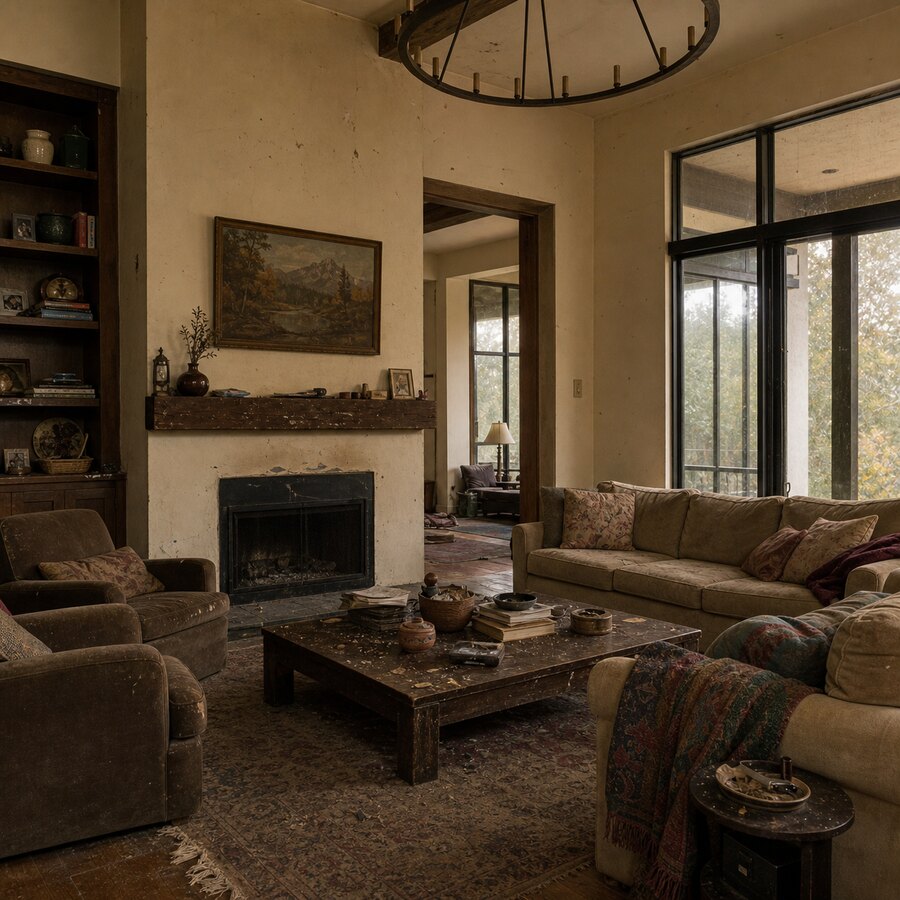
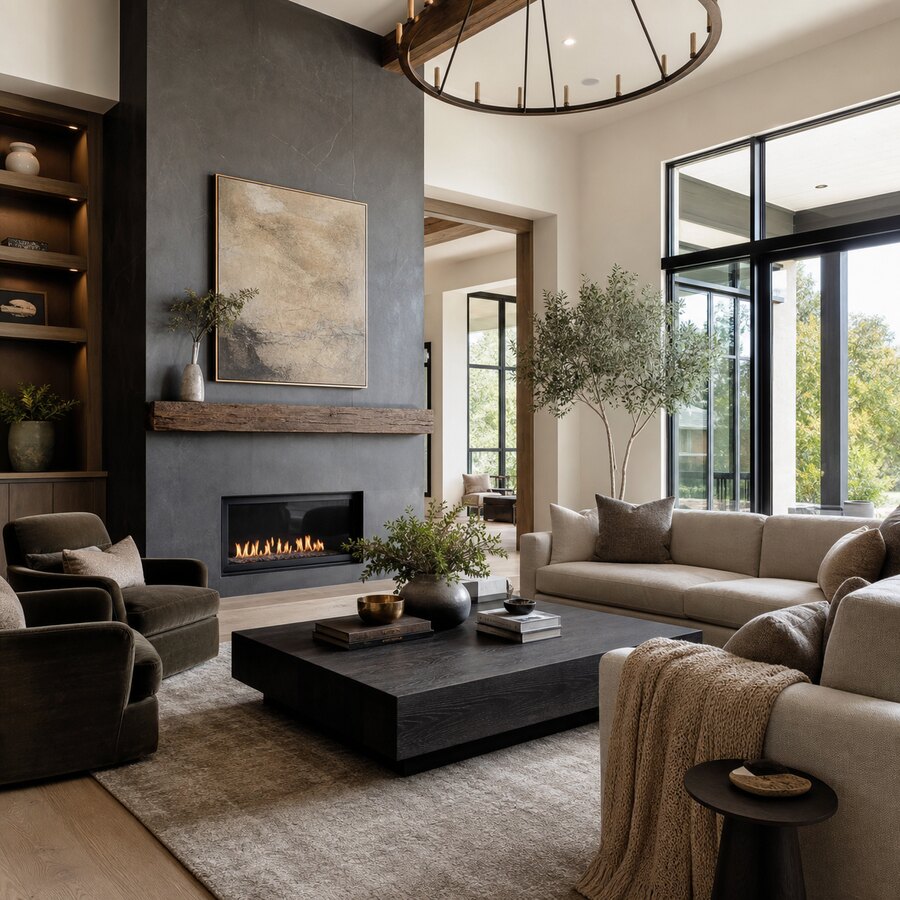
Compare the original window, doorway, ceiling, fireplace and furniture with the concept. A widened room, relocated opening or impossible furniture scale is a reason to revise or reject the proposal.
Turn the idea into questions
Record the real furniture footprint, fixing requirements, technical work and items you need to retain. Ask suppliers about availability and installers about scope; do not treat the concept as a shopping list with verified products.
A before-and-after review, without an invented result
Keep the photo and concept together. Write what you would retain, what you would change and what requires a measurement or professional opinion. This article has not uploaded a customer photo, run a personal room test or measured a saving. Its usefulness is the review method, which you can apply to your own result.
When to use a different kind of help
Use a qualified professional for structural changes, technical services, approvals and installation decisions. Use verified measurements for furniture and circulation. A visual tool helps explain an idea; no result here is claimed to replace those checks.
From a concept to a useful brief
Collect the original photo, concept, verified dimensions, retained features, priorities and unresolved questions. Use the same scope in written quotations so that a preference in an image does not silently become unpriced work.
Choose an allowance for your next task
Two watermarked trial image concepts are available with a verified account, without a card. Current monthly plans are Starter US$15 with 36 credits, Growth US$30 with 120, Pro US$60 with 360 and Studio US$120 with 1,200. Tasks and revisions consume credits. Open your project or read current plans and one-time packs before buying.
An existing reference pair to review
These existing brand images show a starting point and an illustrative concept. Use them to practise reviewing openings, scale and furniture categories; they do not document an executed comparison or a customer renovation.
FAQ
Is AI interior design good for real homes?
Yes, AI interior design can be good for real homes when used for inspiration, style testing, and early planning. It is most helpful for visualizing colors, furniture mood, and decor direction. It should not be used as the only source for measurements, construction decisions, or safety-related renovation work.
Can AI interior design replace an interior designer?
For simple room refreshes, AI may reduce the need for early design help by giving you quick visual concepts. For complex renovations, custom layouts, sourcing, project management, or high-budget spaces, a professional interior designer still adds judgment, experience, and accountability that AI does not provide.
What rooms work best with AI makeovers?
Living rooms, bedrooms, home offices, dining rooms, and simple entryways usually work well because style, furniture, color, and lighting make a big visual difference. Kitchens and bathrooms can also be useful for inspiration, but you should be more careful because plumbing, ventilation, cabinetry, and code issues matter.
How accurate are AI room design images?
They can be visually convincing, but accuracy varies. AI may preserve the room structure well, or it may change windows, proportions, fixtures, and furniture scale. Treat the result as a concept image and verify dimensions, materials, product availability, and installation requirements separately.
How do I get better AI interior design results?
Use a clear, well-lit photo and describe the style, budget level, room function, and constraints. Mention what should stay the same, such as floors, windows, built-ins, or wall color. Generate multiple versions and compare them instead of relying on the first output.
Does a photorealistic image prove the proposal fits?
No. Check the original and verified measurements; review any technical changes with the relevant professional.
Is there a measured winning tool here?
No controlled comparison has been run for this article. Evaluate the current offer and your actual output, and do not rely on an invented score.
Can it help before purchasing?
It can make a visual direction easier to discuss. Confirm real products, samples and installed prices before buying; no saving is guaranteed.